Quick summary
A good About page isn’t a CV: it’s a trust-building page that helps visitors feel confident choosing you. It should quickly explain who you help, what you do, why you’re different, and what results people can expect, backed up with proof (reviews, experience, values, photos, and a bit of personality). Keep it customer-focused, easy to skim, and finish with a clear next step like booking a call or making an enquiry.
Writing about yourself on your website is not easy. You might not want to disclose any personal information or not even show your face on your website.
However, as a small business owner, we need to use every tool in the toolbox to entice our target audience to consider our products and services.
For that reason, we need to follow web design best practices not only on our website homepage and product pages, but also on the About page.
Here, we have a chance to talk about our brand identity, include customer testimonials, a little bit about the company history and show that you are a real person behind your business.
First things first – potential new customers are unlikely to land on your About page as the first page they see. The majority of visitors won’t even click on your About page. So you might wonder, why have an About page?
Let’s look at the numbers. The following table shows 3 different types of websites. One provides business services (B2B), another is a charity and the last one is a cake designer making cakes for weddings (B2C). They all have a decent amount of website page views, but as you can see, the about page only gets a fraction of the views.
| What do they offer? | Total views in the last 28 days | About page views in the last 28 days |
| Providing services to businesses | 13,000 | 142 |
| Charity | 4,700 | 120 |
| Wedding Cakes | 3,300 | 37 |
You’re not creating your About page for 3,000 visitors, but you’re creating it for the 37 visitors who are interested!
Why is the About page important on my website?
An About page is an important page that allows potential customers to look behind the scenes and find out who runs a business. Here’s where they can learn about the business owner and its staff, about your brand values, what made you start the business and what drives you.
Especially if you offer a service, a prospective customer wants to find out who will provide the service once they contact you. Having a strong About page can help them cross the line from being a stranger to becoming a customer.
Once a stranger has fallen in love with your products and services, they might want to know who’s behind it all. They want to read your story, find out about any associations and awards, for example.
Your About page can help build a huge amount of trust before they even meet you.
In this article, you’ll learn what you should add to your About page, how to structure it and what not to do! Your About page can really help with your sale and connecting with your potential customer, so it’s important to get it right.
Your About page should also be ABOUT YOUR CUSTOMER!
This might sound TOTALLY weird. But hear me out…
You should start your About page with a headline similar to this:
- We work with couples who plan a fairytale wedding with over 200 guests in England.
- We convert grubby back gardens in Manchester into safe and green family playgrounds.
- People book my interior design services to convert their home into a maximalist heaven of textures and colours.
The second headline would then be:
- Meet Nadin Thomson, Director of Business Image Services.
Then you should also include a few pain points you help your customers with. As you can see, the About page is not just about your story (more about that below), but also ABOUT your customer!
Top 3 reasons you need an About page on your website
- Establish Credibility: On your About page, you have the chance to sing your own praises. This might feel odd and you might not want to boast about your achievements. However, this is the ONE place where you really should talk about how good you are! You can explain why you are the right person for the job and why people should buy from you by showing your experience and expertise. An About page helps turn a faceless website into one that oozes personality and authority.
- It helps build a connection with your audience: When I worked as a wedding photographer, it happened regularly that people wanted to speak to me because I mentioned my strange hobbies and experiences on my about page (such as learning to fly helicopters – this connected me with people who were flying enthusiasts, for example). Once someone contacted me and we were chatting either in person or online, they would ask me about Walking the Camino, for example (a 550 mile pilgrimage I did in 2010). Or they would send me a message with a PS attached saying they also have a cat.
- Your about page is also a subliminal message that you’ve got nothing to hide. I am not suggesting you share your inner secrets on your about page, but you should be confident enough to talk about what makes you “you” and how you arrived at this point in your business. For example, I often talk about how I used to work as a wedding photographer and that I retired from wedding photography after 300 weddings in 2023. This shows that I didn’t just dabble as a photographer, but I know my stuff when it comes to weddings and wedding photography in particular.
Your About Page helps you establish credibility, connect with your audience, and shows you've got nothing to hide.
What are the essential elements of a good about page?
First things first, don’t overthink the website design of your About page. If you want to see a great About page example, look further down in this post for a few good pages. Use your website builder and create a simple page design. Include social proof (client testimonials), contact information and talk about your brand story.
Your About page should include your story
This is where you explain why you started your business or how you have arrived at this point in your business.
For example, I started my web design business in 2004, went to photography college in 2007 to be able to offer photography to my web design customers, and (somehow accidentally) ended up as a wedding photographer.
I still built hundreds of business websites, but photographed weddings on the weekends. After years of having no time off (no weekend), I decided to retire from wedding photography and focus more on web design.
This was a transition period for me while I scaled back the weddings and increased proposal photography sessions (taking photos of someone proposing to their partner and asking them to marry).
I was then on a journey of discovery on how to shape my web design business for the future. During Covid, when we all zoomed our hearts out, I met so many lovely ladies from all over the world who all had lots of questions about their website and SEO.
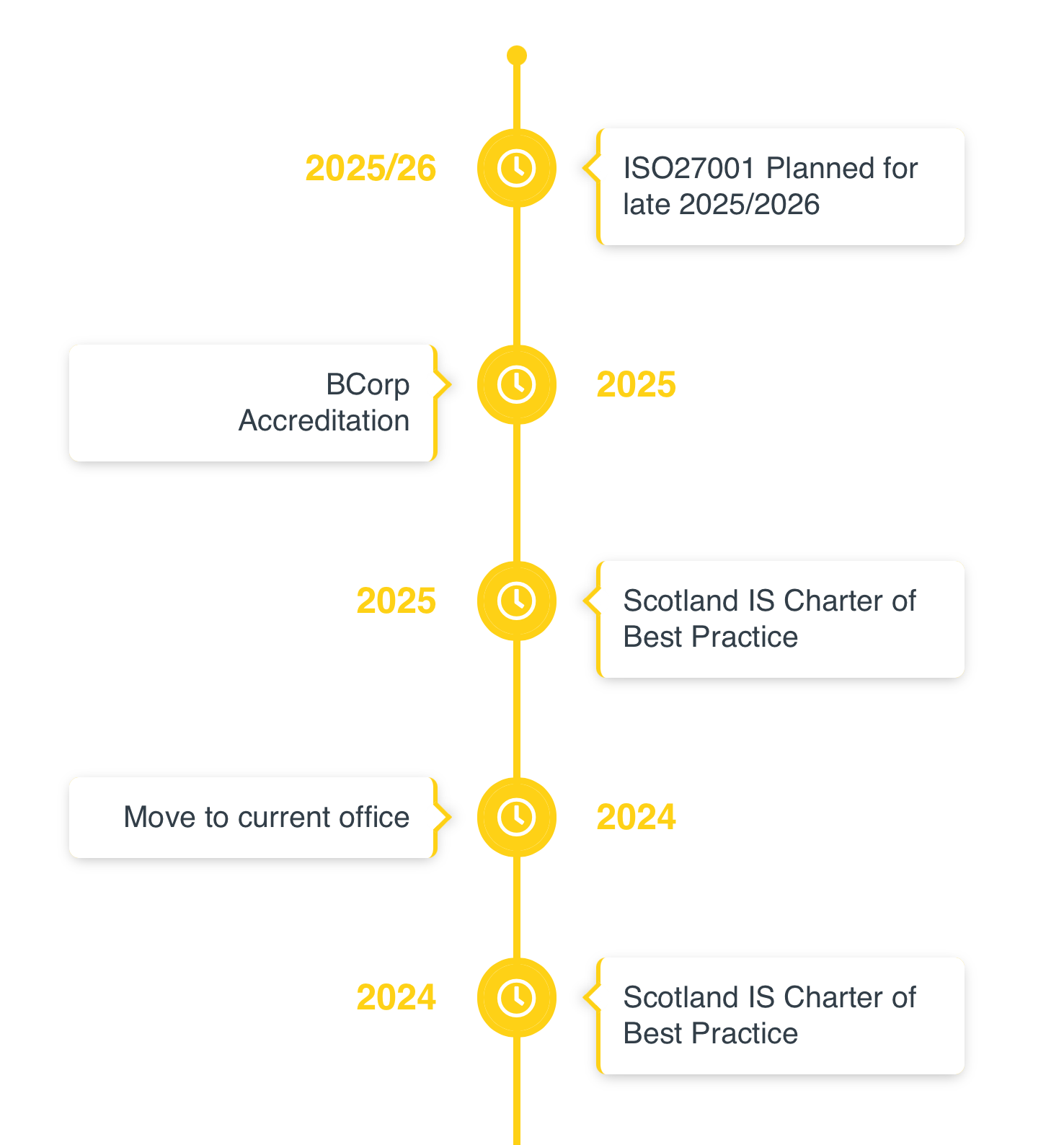
Your About page could include a timeline
There are lovely WordPress plugins that allow you to create these easily on your website.
Your About page should include your mission statement
This sounds super corporate, dry and boring. However, you don’t need to call it a “mission statement”. You can show your “mission” in a playful way.
At Business Image, we help you build a professional website and support you in your digital marketing. Our aim is to deliver a website that your customers find easy to understand so they will get in touch.
I explain what works (and why it works), so you can make better decisions about your website, visuals, and messaging: without wasting time or money.
We always encourage our clients to ask all the questions.
Your About page should include your team (if you have one)
If you employ people or have a team of associates, your About page is the best place to introduce them.
I often mention Mo, Denise or Teagan who are an integral part of Business Image.
You don’t need to show the CV of everyone working in your business, however you need to be mindful about their privacy.
Some people are not keen on showing their photograph (Denise isn’t) and it’s important to respect that and don’t overstep personal boundaries.
Nowadays, there are many different ways to show a “character” – by using cartoon figures or even just a lovely photo of something the employee likes, such as flowers, or their pet, for example.
Your About page is the one place where you MUST sing your own praises. This has nothing to do with boasting about yourself, but this actually helps you convert strangers into customers.
Your About page should show your accomplishments
Your About page is the one place where you MUST sing your own praises. This has nothing to do with boasting about yourself, but this actually helps you convert strangers into customers.
- If you’ve ever won an award for something relating to your business, mention it, show the logo.
- If you’ve been published somewhere worth mentioning, show the logo.
- Got a certificate that proves you as an expert in your field? Show it.
- Do you have a selfie with a celebrity that’s related to your business? Show it.
Don’t go overboard here, and don’t mention that you won first prize on your school’s sports day 20 years ago.
Your About page should include a photo of yourself, or your main team members
If that makes you cringe, get over it (sorry for being so blunt here!). You can start with a good selfie or a nice photo someone took of you on their mobile.
You could ask colleagues, friends and family to send you photos they have of you so you have a bigger choice.
However, at some stage, you may want to hire a professional photographer and get some amazing photos taken.
I did this years ago:
- I went to the hairdresser to sort out my hair just before the shoot.
- I had my makeup done professionally.
- The session itself was about 45 mins.
- I was then presented with 30 lovely images.
Depending on how the photographer works, you may get a few images included in your package, or you may need to pay extra for more images than the included ones.
There are different ways to get your photos taken professionally:
- One option is a studio-based photo shoot (this is the one I did). You go to the studio of the photographer and they position lights and ask you to pose in different ways. Many don’t like the “posing” aspect and might feel unnatural. However, I can assure you that a professional photographer is worth their weight in gold! They know that posing will enhance your features and can make you look relaxed and professional.
- Another option is a lifestyle photo session. This is where you meet the photographer at a location of either your or their choice. If you’re a craft person making things, you might want to do the photos in your studio, but you can also meet somewhere outside, in a local park for example. If the session takes place at your work, tidy up before so that the photographer has a good “canvas” to work with. If you meet outside for a lifestyle session, pick a location that can be related to your business somehow or a neutral location, such as a local park.
When picking a photo for your about page, pick one that looks professionally taken. Pick an image where you look at the camera and you look professional, friendly and approachable.
Below is an example of how you can show images on your About page. It doesn’t have to be a big photo of you, but it can also be part of a collage. This contains my favourite studio image (top left) and a lifestyle selfie of my husband and I.

How do I write on my About page?
How do you write text on your other pages on your website? Use the same writing style if possible.
I have seen many About pages where suddenly the writing changes and the author, i.e. you, then talks about themselves in the third person. I find this very strange.
They say things like: “She’s an accomplished artist”.
If it’s mostly you in your business, write “I am an experienced web designer” instead.
Think about your brand tone, but also what your industry expects from a business like yours.
I want to make SEO and web design approachable, so I use simple words when I explain things.
My brand tone is mostly conversational with a hint of humour and sometimes I am a bit blunt to make a certain thing super clear.
How to keep your About page engaging?
Avoid showing your CV on your About page. NO ONE cares (see about being blunt…!).
You can use several photos that show you in different places or doing different things. You can show some fun facts about yourself and also share personal anecdotes – things that make you you.
You could add a couple of testimonials to your About page which clearly show that people enjoyed working with you or the service they received.
6 Common mistakes to avoid on your About page
About page mistake 1: Your writing style is too formal and impersonal.
Don’t write about yourself in the third person. This is the one page where you should use “me, myself, I, we, our”. If you use language that’s too impersonal, people won’t be able to connect with you and they also might think you’re not approachable.
About page mistake 2: You have too much text about “meeee”
Avoid posting your CV. Keep things short, but stay engaging, use images and you can also include a video where you talk on camera.
About page mistake 3: You haven’t updated your About page for years
Things change. You change. Your business changes. Things you may have said years ago about yourself and your business might no longer ring true. Check your About page once a year and update it.
About page mistake 4: You don’t show a photo of yourself, or the photo of yourself is overly arty and you’re not looking at the camera.
Your readers will connect more with you and your content if you show a photo of yourself where you’re looking at the camera, i.e. you’re looking at them!
About page mistake 5: There’s no call to action
Every page on your website needs a CTA (Call to Action). What do you want them to do next? You could include a contact form at the bottom of the page or you could suggest reading a popular blog post or look at your service page. CTAs guide your website visitor through your website and are vital to keep them engaged with your content. You could also include a CTA to download a freebie – your chance to invite them to your mailing list.
About page mistake 6: You re-name the About page and call it something else
Keep it simple!
People know what an About page is and they expect to find it by looking for “About us” on your website. Don’t rename it to “My story” for example. Call the About page “About me”, “About”, or “About us”.
Also make sure that the page URL is about-us (regardless if it’s just yourself in your business or if there are several people). Google looks for this URL on your website to establish credibility and authority.
Some great About page examples
As you can see, there isn’t a formula to write a great About page, but some of the above points can really help make your About page better and more engaging. I wanted to provide a list of great About page examples here. However, there are so many different industries that all have their own About page “rules”.
An About page for a one-person business will be vastly different from an About page for a big corporation.
The best thing to do is look at many websites in your industry and check their About pages.
Here are a few that I found are superb, full of character and very engaging:
- Cake Designer: https://malarkeycakes.co.uk/about/
- Sofas & Chairs: https://www.thesofaandchair.co.uk/company
- Interior Designer: https://www.miakarlsson.co.uk/about
- Interior Designer: https://www.rachelchudley.com/about
- Jewellery Maker: https://www.davidyurman.com/eu/en-gb/world-of-yurman/timeline.html
- Jewellery Maker: https://ruthtomlinson.com/pages/about
- Jewellery Maker: https://www.alexmonroe.com/pages/about-us
- Landscaper: https://greenlight-landscape-gardening.co.uk/about-us/
- Florist: https://www.floom.com/us/pages/about-us
- Florist: https://rosaholics.com/pages/about-us
- Kids clothing: https://www.boden.co.uk/en-gb/about-us
- Kids clothing: https://pepalondon.com/pages/our-story
- Kids clothing: https://www.tibertaber.com/pages/about-us_new
Optimise your website for search engines (SEO)
When someone looks for a service online and they are not quite ready to buy, they may remember you, but don’t remember your full website.
Make sure your About page contains your full name and what you do, where you do it and for whom. For example:
- Cake Maker Sarah Miller in Perth, Scotland.
- Interior Designer Michelle Baxter in Manchester.
If they just remember your first name and your location, they will easily find you again in Google.
Google also sometimes chooses to show your website structure. If your About page is well-structured, Google might show individual pages below your business search result.
- Always include a meta title, meta description and use proper ALT tags on your images.
- Call your About page “About me” or “About us”.
- Make sure that the page URL is either “about-me” or “about-us”.
Your turn – update your About page
If you’ve read this far, you now know that your About page shouldn’t be an afterthought on your website. It’s a great opportunity to deeply connect with your website visitors and turn strangers into connections, customers and fans.
Look over your About page and check if the main elements are included. Add a Call to Action and ensure you have great images of yourself (and your team).
To-do list – Important information to add to your About page
- Start the page with your target customer (i.e. we serve [this person] to achieve [that result]).
- Clearly state your full name, your occupation and your location.
- Write in the first person if you’re the only one in the business.
- Show at least ONE professional photo of yourself where you look professional and happy into the camera.
- Avoid posting your CV.
- Include your story – what made you start the business?
- What makes you different (your mission).
- Include a CTA.
- Include certificates & awards.
- Call your About page “About me” or “About us”.
- Make sure the page url is “about-us” (regardless of how many people are in your business).
- Update your About page at least once every year.
- It’s also a good idea to add contact information including social media accounts (even if they are already displayed in the footer of your website)