
Quick summary
A CAPTCHA is a security tool that checks whether a website visitor is a real human or an automated bot, protecting you from spam, fake accounts, and password attacks. They’ve come a long way from the old “type these wobbly letters” approach and the best modern ones work completely invisibly in the background. For most small websites, a free option like Google reCAPTCHA or Cloudflare Turnstile does the job fine, though if you have EU customers and privacy matters, a paid option like Friendly Captcha is worth considering.
You have almost certainly seen one before. A grid of photos asking you to click every image containing a traffic light. A box of wobbly, distorted letters you have to squint at and type out. Or maybe just a simple checkbox that says “I am not a robot.” These are all CAPTCHAs, and if you run a website, there is a very good chance you need one.
But what actually is a CAPTCHA, why does it matter, and how do you choose the right one? This guide explains everything in plain English.
What does CAPTCHA stand for?
The name is a bit of a mouthful: Completely Automated Public Turing test to tell Computers and Humans Apart. The important bit is right at the end: it is a test designed to tell the difference between a real human being and an automated computer program (known as a “bot”).
Think of it like a bouncer at the door of a nightclub. The bouncer does not care if you are young or old, what you are wearing, or where you are from. The only question is: are you a real person? CAPTCHAs do the same job for your website.
Captcha it is a test designed to tell the difference between a real human being and an automated computer program.
Why do websites get attacked by bots in the first place?
The internet is full of automated programs running around doing things on behalf of their creators. Many bots are perfectly harmless, like the ones search engines use to find and index websites. But a large number of bots exist to cause trouble, and website owners are their targets.
Here is what malicious bots get up to without a CAPTCHA in the way:
- Spam your contact forms. Bots can fill in and submit your contact form hundreds of times a day, flooding your inbox with junk or worse, phishing attempts.
- Create thousands of fake accounts. If you offer a free trial, a discount for new users, or a competition entry, bots can sign up over and over to abuse it.
- Snap up limited stock instantly. Anyone who has tried to buy concert tickets or limited-edition trainers online has likely lost out to bots that purchased the whole allocation in seconds.
- Try to guess passwords. Bots can attempt thousands of username and password combinations against your login page until something works.
- Post spam comments. If your website has a blog or forum, bots will fill the comments section with links to dodgy websites.
- Steal your content or pricing data. Competitors can use bots to automatically copy your product descriptions, prices, or articles.
In short, bots are a genuine problem, and without some kind of guard on the door, your website is an easy target.
How does a CAPTCHA actually work?
The basic idea is to set a challenge that is easy for a human brain but very difficult for a computer program.
Early CAPTCHAs did this with distorted text: a human could read it, but a machine could not. As computers got smarter and better at reading text, the challenges had to evolve.
Modern CAPTCHAs go much further. Rather than just testing what you can see, they observe how you behave on the page. Things like how you move your mouse, how long you spend on the page, and whether your browsing patterns look natural. Most of the time, a real human passes without even noticing the CAPTCHA is there. It is only when the system is not sure that it steps in and asks you to complete a challenge.
The different types of CAPTCHA
CAPTCHAs have changed a lot over the years. Here is a look at the main types, from oldest to newest:
Text-based CAPTCHA (the old-fashioned kind)
The original version: scrambled, distorted letters and numbers you had to type into a box. You have probably cursed at one of these. They are mostly retired now, because modern AI can solve them in under a second. They offered a false sense of security and frustrated real users far more than they stopped bots.
Image recognition CAPTCHA
The classic “click all the traffic lights” or “select every image with a bicycle.” These are still widely used but are becoming increasingly annoying for users and increasingly beatable by clever software. If you have ever had to click through three rounds of traffic light grids just to send a contact form enquiry, you know the frustration.
The “I am not a robot” Checkbox
This is Google’s reCAPTCHA v2, and it looks deceptively simple. You just tick a box. Behind the scenes, it is watching how you moved your cursor to reach that checkbox, how you have behaved on the page, and dozens of other signals. A human who moves a mouse naturally passes instantly. A bot that moves in a perfectly straight line does not.
Invisible CAPTCHA
This is the newest and most user-friendly approach. There is no checkbox, no puzzle, nothing to click. The system watches your behaviour in the background and gives you a score between 0 (almost certainly a bot) and 1 (almost certainly human). Only users who score suspiciously low are ever interrupted. Most real visitors sail straight through without knowing anything happened.
Proof-of-work CAPTCHA
A clever and very modern approach. Instead of asking you to do anything at all, the system quietly asks your device to solve a small mathematical puzzle in the background. For a human on a normal laptop, this takes a fraction of a second. For a bot trying to submit thousands of forms simultaneously, it creates a significant slowdown and cost. The user sees and does nothing.
Gamified / puzzle CAPTCHA
These ask you to slide a jigsaw piece into place or complete a simple drag-and-drop puzzle. They are more pleasant to interact with than photo grids and remain difficult for bots to solve reliably.
Who provides CAPTCHAs? Your main options
You do not build a CAPTCHA yourself. You choose a provider and add a small snippet of code to your website. Here are the main players and what makes each one different.
- Google reCAPTCHA – Free
- Cloudflare Turnstile – Free
- hCaptcha – Free and paid tiers
- Friendly Captcha – Paid (30-day free trial)
- ALTCHA – Free and open source
- GeeTest – Paid
- Arkose Labs – Paid (enterprise)
Google reCAPTCHA (Free)
The most widely used CAPTCHA in the world. It comes in several versions: v2 (the checkbox), v3 (invisible and behaviour-based), and an enterprise version for large businesses. It is free, widely supported by website platforms, and easy to set up. The main drawback is privacy: because it is a Google product, it collects data about your website visitors and feeds that back into Google’s systems. For many small businesses this is a perfectly fine trade-off, but it is worth knowing about.
Cloudflare Turnstile (Free)
A newer alternative from Cloudflare, the company that powers a huge portion of the internet. It is free, invisible to users, and does not share data with advertisers. A strong option, especially if your website already uses Cloudflare for other things. Privacy-conscious and user-friendly.
hCaptcha (Free and Paid tiers)
A popular alternative to Google reCAPTCHA that works in a similar way. One interesting quirk: hCaptcha has historically paid website owners a small amount for using it, because the image-labelling challenges it shows users help train AI models. It offers better privacy than Google and has become the go-to choice for many developers who want to move away from the Google ecosystem.
Friendly Captcha (Paid, with a free trial)
A German-made CAPTCHA built specifically to comply with strict European privacy laws, including GDPR. It uses the proof-of-work approach, so users never see or interact with anything. It stores no personal data whatsoever. The ideal choice for EU-based businesses or anyone for whom data privacy is a top priority. It does cost money, but the pricing is reasonable for small businesses.
ALTCHA (Free and Open Source)
An open-source proof-of-work CAPTCHA that you can run yourself or use via their hosted service. Because you control it entirely, there is no third party involved and no data sharing at all. A great choice for technically minded website owners or developers who want full control and maximum privacy.
GeeTest (Paid)
A well-established enterprise CAPTCHA that uses adaptive, behaviour-based challenges and puzzle-style interactions. It supports 78 languages, works invisibly most of the time, and is well-regarded for balancing strong security with a smooth user experience. Aimed at larger businesses and e-commerce operations.
Arkose Labs / FunCaptcha (Paid, Enterprise)
One of the most sophisticated options on the market, designed for high-value targets like financial services, ticketing platforms, and gaming. It uses gamified challenges that are genuinely difficult for bots to complete reliably. It is expensive and aimed firmly at enterprise customers, but for businesses where bot attacks are a serious, ongoing threat, it is among the strongest protections available.
Free vs. paid: What is the real difference?
For most small to medium-sized websites, a free CAPTCHA will do the job perfectly well. But it helps to understand what you are giving up or gaining when you choose one over the other.
Benefits of free CAPTCHA
- Good enough protection for most everyday threats like contact form spam and fake account creation
- Easy to set up, often a matter of copying and pasting a code snippet
- Wide support from popular website builders like WordPress, Squarespace, and Shopify
- No ongoing cost
Disadvantages of free CAPTCHA
- Privacy guarantees. Free services like Google reCAPTCHA collect data about your visitors. If you have European customers, this can create GDPR complications.
- Customer support. If something breaks or stops working, you are largely on your own.
- Guarantees. There is no service level agreement, meaning no promise about uptime or performance.
- Advanced analytics. Free tiers rarely show you detailed data about how many bots are being blocked or what they are targeting.
Benefits of paid CAPTCHA
- GDPR and privacy compliance. Paid services like Friendly Captcha are built from the ground up to collect no personal data, which matters enormously if you serve customers in the UK or EU.
- Better security against sophisticated attacks. As bots become smarter, enterprise-grade CAPTCHAs adapt their challenges in real time to stay ahead.
- Dedicated support. Someone to call or email when things go wrong.
- Service level agreements. A formal commitment that the service will stay up and perform as expected.
- Detailed dashboards. See exactly how many bots hit your site, what they were targeting, and when attacks spike.
The accessibility problem nobody talks about
There is an important issue with traditional CAPTCHAs that often gets overlooked: they can be extremely difficult for people with disabilities. If you are visually impaired, being asked to identify buses in a blurry photo grid is not just frustrating, it can be completely impossible. If you have a motor impairment, dragging and clicking precisely under pressure is a real barrier.
This is one of the strongest arguments for moving to invisible or proof-of-work CAPTCHAs. If your security check never asks the user to do anything at all, there is nothing to create a barrier for anyone. Modern invisible CAPTCHAs are both more secure and more accessible than the traditional kind.
Are CAPTCHAs still actually effective?
- Traditional image and text CAPTCHAs are increasingly easy for bots to beat.
- Sophisticated automated tools can solve a standard image grid challenge in under a second.
There are even online services that use real humans in low-wage countries to solve CAPTCHAs on behalf of bots at scale.
This does not mean CAPTCHAs are pointless. It means the type of CAPTCHA matters. Behaviour-based and proof-of-work approaches are much harder to automate cheaply. An invisible CAPTCHA that watches how you use a page is far more difficult to fake than a photo puzzle that just needs to be seen and clicked.
The industry has largely accepted that the old way of doing things is broken, which is why most serious providers have moved to invisible, background-based verification. Think of it less like a puzzle and more like a fingerprint check: quiet, fast, and very hard to fake.
Which CAPTCHA should you use on your website?
Here is a simple guide based on the most common situations:
- Small website, blog, or basic contact form: Google reCAPTCHA v3 or Cloudflare Turnstile. Both are free, invisible, and take about ten minutes to set up.
- UK or EU-based business concerned about GDPR: Cloudflare Turnstile (free) or Friendly Captcha (paid). Both avoid collecting personal data.
- E-commerce store with a bot problem: hCaptcha paid tier or GeeTest. Both offer stronger protection and better analytics than free options.
- High-stakes business such as finance, ticketing, or gaming: Arkose Labs or Google reCAPTCHA Enterprise. Built for serious, persistent bot threats.
- Developer who wants full control and no third parties: ALTCHA. Open source, self-hostable, and completely private.
A quick note on user experience
One thing worth keeping in mind: a CAPTCHA that frustrates your real users is costing you business. Research has shown that even a mildly annoying CAPTCHA can cause a meaningful number of visitors to abandon a form or checkout. The goal is not just to stop bots; it is to stop bots without inconveniencing the humans you actually want.
The good news is that modern CAPTCHAs, particularly invisible ones, make this trade-off disappear almost entirely. The best ones are completely undetectable to genuine users and only reveal themselves when something suspicious is going on.
CAPTCHAs exist because…
… the internet is full of automated programs trying to abuse websites, and they are an essential line of defence for almost any site that has a form, a login, or a sign-up page. The technology has come a long way from squinting at wobbly letters: modern CAPTCHAs work invisibly in the background, are friendlier for users with disabilities, and are far harder for bots to beat.
For most small businesses, a free option like Google reCAPTCHA v3 or Cloudflare Turnstile is a perfectly solid choice. If privacy is a priority, particularly for businesses dealing with European customers, a privacy-first option like Friendly Captcha or ALTCHA is worth the small additional investment. And if your business is a high-value target for bot attacks, enterprise solutions exist that can handle even the most sophisticated threats.
The most important thing is to have something in place. Leaving your website without any protection is a bit like leaving the front door of your shop wide open overnight. Most nights nothing happens, but eventually something will.
How to Add Google reCAPTCHA to Your WordPress Website
The easiest way to add Google reCAPTCHA to WordPress is through a free plugin. Before you start, you will need to register your website with Google to get two special codes called a Site Key and a Secret Key. Think of these like a username and password that connect your website to Google’s CAPTCHA service.
Step 1: Get Your Google reCAPTCHA Keys
- Go to google.com/recaptcha and sign in with a Google account.
- Give your site a label (just a name so you can recognise it).
- Choose Score based (v3) for the invisible version (recommended!), or Challenge (v2) if you want the checkbox.
- Enter your website address and click Submit.
- Google will show you a Site Key and a Secret Key. Keep this page open, you will need both in a moment.
Step 2: Install a Plugin
- Log in to your WordPress dashboard.
- If your website uses Elementor, you can add these keys in the Elementor Settings under Integrations.
- Go to Plugins > Add New and search for Advanced Google reCAPTCHA for site-wide protection.
- A popular dedicated option is the free plugin simply called Google Captcha (reCAPTCHA) by BestWebSoft. Search for it, click Install, then Activate.
Step 3: Connect Your Keys
- Once the plugin is activated, go to its settings page (usually found under Settings in your dashboard menu).
- Paste in your Site Key and Secret Key from the Google page you kept open.
- Choose which forms or pages you want the CAPTCHA to appear on, such as your login page, registration form, or contact form.
- Save your settings.
That is it. Visit your website and test the form yourself to make sure everything is working correctly.
How to Add Cloudflare Turnstile to Your WordPress Website
Cloudflare Turnstile is a strong free alternative to Google reCAPTCHA that does not collect personal data, making it a great choice for businesses with European customers. The setup process is very similar: you register your site with Cloudflare first, then connect it to WordPress via a plugin.
Step 1: Get Your Turnstile Keys
- Go to dash.cloudflare.com and sign in or create a free account.
- In the left-hand menu, click Turnstile.
- Click Add widget, give it a name, and enter your website address.
- Choose your widget type. Managed is recommended for most websites as Cloudflare decides automatically when to challenge a visitor.
- Click Create and you will be given a Site Key and a Secret Key. Keep these handy.
Step 2: Install a Plugin
- In your WordPress dashboard, go to Plugins > Add New.
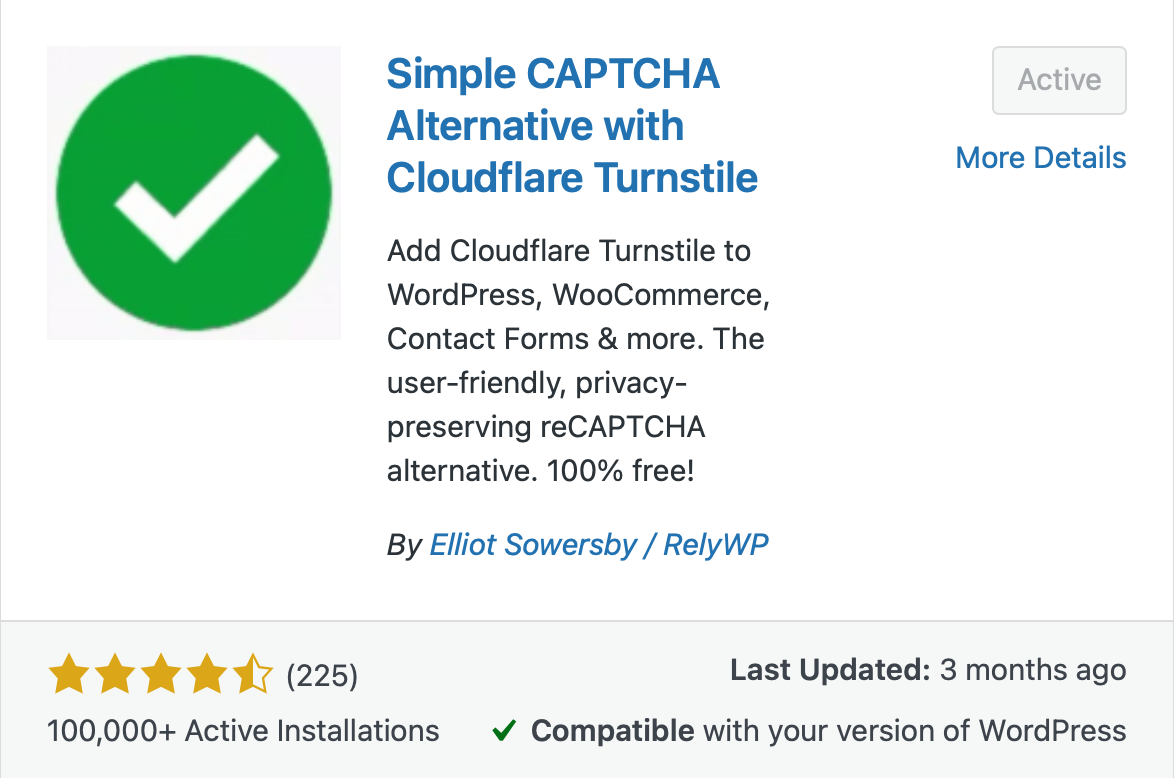
- Search for Cloudflare Turnstile. A well-rated free option is Simple Cloudflare Turnstile by Elliot Sowersby.
- Click Install and then Activate.
Step 3: Connect Your Keys
- Go to Settings > Simple Cloudflare Turnstile in your dashboard.
- Paste in your Site Key and Secret Key.
- Select which forms you want to protect, such as your login page, registration form, comment section, or WooCommerce checkout.
- Save your settings.
Test the forms on your site to confirm the Turnstile widget is appearing and working as expected. Most visitors will not see anything at all, which is exactly the point.
Who should add a CAPTCHA to their website?
The short answer is: every website that has any kind of contact form or login page should have one. But who is responsible for actually setting it up depends on how your website is managed.
If your website was built by a developer or agency
If you paid a professional to build your website, a CAPTCHA should honestly already be in place. It is considered basic good practice, much like locking the front door before handing over the keys. If you are not sure whether your site is protected, it is worth dropping your developer a quick message to ask. If it is not set up, request that they add it. For any reputable developer this is a straightforward job that should take no more than 5-10 minutes.
If you manage your own WordPress website
If you look after your own WordPress site, the good news is that adding a CAPTCHA is something you can do yourself without any technical knowledge. The step-by-step guides above for Google reCAPTCHA and Cloudflare Turnstile are designed for exactly this situation. If you can install a plugin and copy and paste two codes, you can get this done in under fifteen minutes.
If you use a website builder like Squarespace, Wix, or Shopify
Many website builders have CAPTCHA protection built in or available as a simple toggle in your settings. Shopify, for example, includes bot protection on checkout by default. Squarespace has a built-in CAPTCHA option for forms. Check your platform’s settings or help documentation before going through a third-party setup, as you may already be more protected than you think.
If you are not sure where to start
If your website was built by someone else and you do not have easy access to the backend, or if the guides above feel a little daunting, the simplest thing to do is contact whoever looks after your website and ask them to add CAPTCHA protection to your forms and login page. It is a completely routine request and a good web professional will have it sorted quickly.
The important thing is not to put it off. Spam bots do not wait until you feel ready, and the longer your forms are unprotected, the more likely you are to start experiencing problems. A few minutes of setup now can save a significant amount of frustration later.
Frequently Asked Questions
What is a CAPTCHA challenge response?
A CAPTCHA challenge response is the process of a website presenting you with a test (the challenge) and checking your answer (the response) to confirm you are a real human. The challenge might be ticking a box, identifying images, or it might happen invisibly in the background.
What is a CAPTCHA code?
A CAPTCHA code is the text, number, or token that is generated as part of the verification process. On older CAPTCHAs, it was the distorted word or number you had to type in. On modern ones, it is handled automatically behind the scenes and never shown to the user.
What does CAPTCHA stand for?
CAPTCHA stands for Completely Automated Public Turing test to tell Computers and Humans Apart. It is a test designed to confirm that the person using a website is a real human and not an automated bot.
Why is CAPTCHA used?
CAPTCHA is used to protect websites from automated bots that spam contact forms, create fake accounts, attempt to guess passwords, and abuse services. It acts as a gatekeeper that lets real people through while blocking automated programs.
How does CAPTCHA work?
Modern CAPTCHAs work by analysing your behaviour on a page, such as how you move your mouse, how long you spend reading, and how naturally you interact with elements. If everything looks human, you pass without noticing. Only suspicious visitors are shown an additional challenge to complete.
Do I really need a CAPTCHA on my website?
If your website has a contact form, a login page, a sign-up form, or a comments section, then yes. Without one, you are an easy target for spam and automated abuse.
Will a CAPTCHA slow my website down?
Modern invisible CAPTCHAs have virtually no impact on page speed or user experience. Older image-based ones can add a small delay.
Is Google reCAPTCHA free?
Yes, the standard versions (v2 and v3) are free. There is an enterprise version aimed at large businesses which is paid.
Why do I keep getting CAPTCHA on Google?
Google shows CAPTCHAs when it detects unusual search behaviour from your device or network, such as a high volume of searches in a short time, the use of a VPN, or shared internet connections like those in offices or schools. It is not a sign anything is wrong; Google is simply checking you are not a bot.
Does CAPTCHA affect my Google rankings (SEO)?
Not directly. However, if a CAPTCHA frustrates users and causes them to leave your site quickly, that behaviour can indirectly affect your rankings over time.
Are CAPTCHAs accessible for people with disabilities?
Traditional image and text CAPTCHAs can be very difficult for visually impaired users. Modern invisible CAPTCHAs are far more accessible as they require no interaction at all.
How do I add a CAPTCHA to my website?
Most website platforms like WordPress, Squarespace, and Shopify have built-in plugins or integrations for popular CAPTCHA services. For WordPress, adding Google reCAPTCHA or Cloudflare Turnstile to a contact form or WooCommerce checkout typically takes under ten minutes using a free plugin.
What is Google CAPTCHA?
Google CAPTCHA refers to Google's reCAPTCHA service, which is the most widely used CAPTCHA system in the world. It comes in several versions: v2 (the "I am not a robot" checkbox), v3 (fully invisible), and an enterprise version for larger businesses.
Who owns CAPTCHA?
The original CAPTCHA technology was developed at Carnegie Mellon University. Google acquired reCAPTCHA, the most widely used version, in 2009 and has owned and developed it since. Other CAPTCHA products are owned by their respective companies, such as Cloudflare (Turnstile) and Arkose Labs.
Can bots bypass CAPTCHAs?
Old-style text and image CAPTCHAs can be beaten fairly easily by modern software. Invisible, behaviour-based, and proof-of-work CAPTCHAs are significantly harder to bypass.
Does CAPTCHA collect data about my visitors?
It depends on the provider. Google reCAPTCHA does collect user data. Privacy-focused alternatives like Cloudflare Turnstile and Friendly Captcha do not.
Is CAPTCHA required by GDPR?
CAPTCHA itself is not required by GDPR, but if the CAPTCHA you use collects personal data from EU visitors, you need to disclose that in your privacy policy.
What is the best CAPTCHA for a small business website?
For most small businesses, Google reCAPTCHA v3 or Cloudflare Turnstile are the easiest and most practical starting points. Both are free, invisible to users, and straightforward to set up.










